One System Behind the App, the Till and Every Screen in the Gym
How we built the members app, the café ordering and the live screens on the walls for The Farm, a training building in Horsham with Brazilian Jiu-Jitsu, Muay Thai, yoga, a strength gym and a café under one roof.
The Farm runs on one system that we designed, built and now look after. Members book and check in on their phones, the café takes orders from the mat, and the screens in every room update themselves from the same data. When someone checks in, the ring around their picture on the class board turns green within about ten seconds.
In short
- One system runs the members app, bookings, memberships, the café and the screens on the walls.
- The screens are live: the class board, the sparring timer, the scoreboard and the café menu all draw from the same system as the app.
- From the first line of code to Google Play took 23 days, and the app was on both stores within five weeks.
- The screens only show first names, belts and pictures members have agreed to, and any member can hide themselves.
- We still run all of it: the app, the servers behind it and the screens, which we watch over remotely.
What The Farm needed
The Farm is several clubs in one building, each with its own name: SWBJJ (Sonny Weston Brazilian Jiu-Jitsu), Horsham Muay Thai, yin yoga, a strength gym and the K-Cal Café. A member might train jiu-jitsu on Monday, do yoga on Wednesday and bring two children to the kids' class on Saturday.
So the building needed one timetable and one login for all of it, a way for parents to manage their children, and a way for coaches to know who is on the mat. It also has televisions in every room, and nobody wanted to update those by hand.
The members app
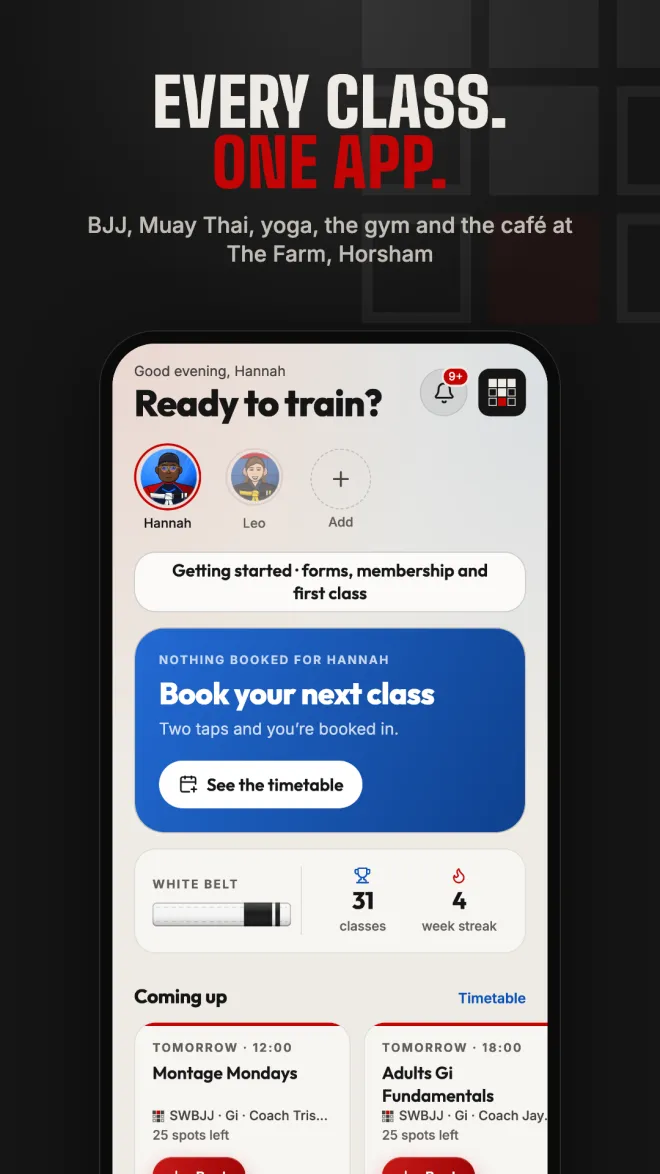
The app, The Farm, Unit T, is on the App Store and Google Play. Members use it to:
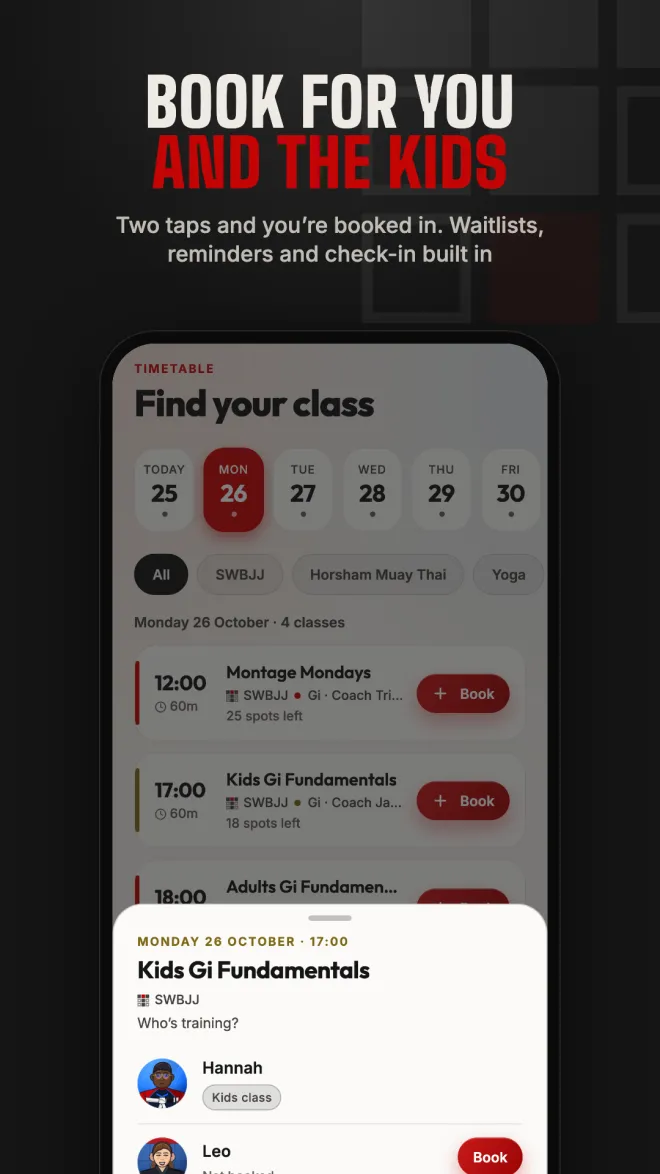
- Book, cancel and join the waitlist for any class in the building
- Check in by scanning at the door, or automatically as they arrive
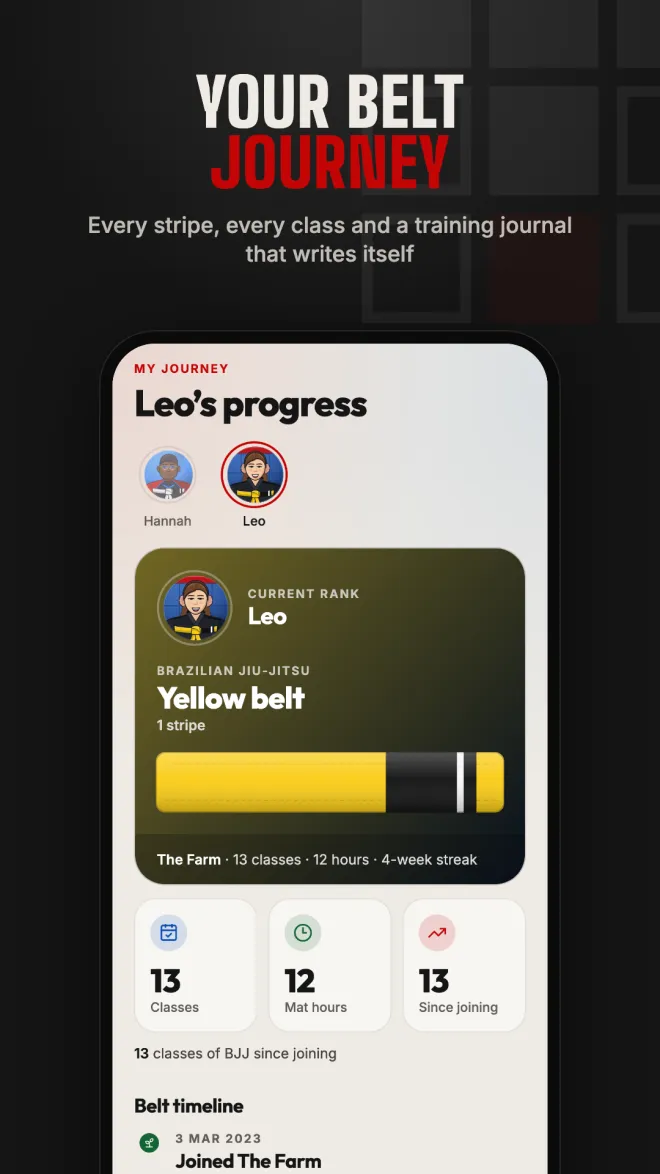
- Follow their belt, stripes, hours on the mat and a training journal
- Manage their children's bookings, consents and progress from one parent login
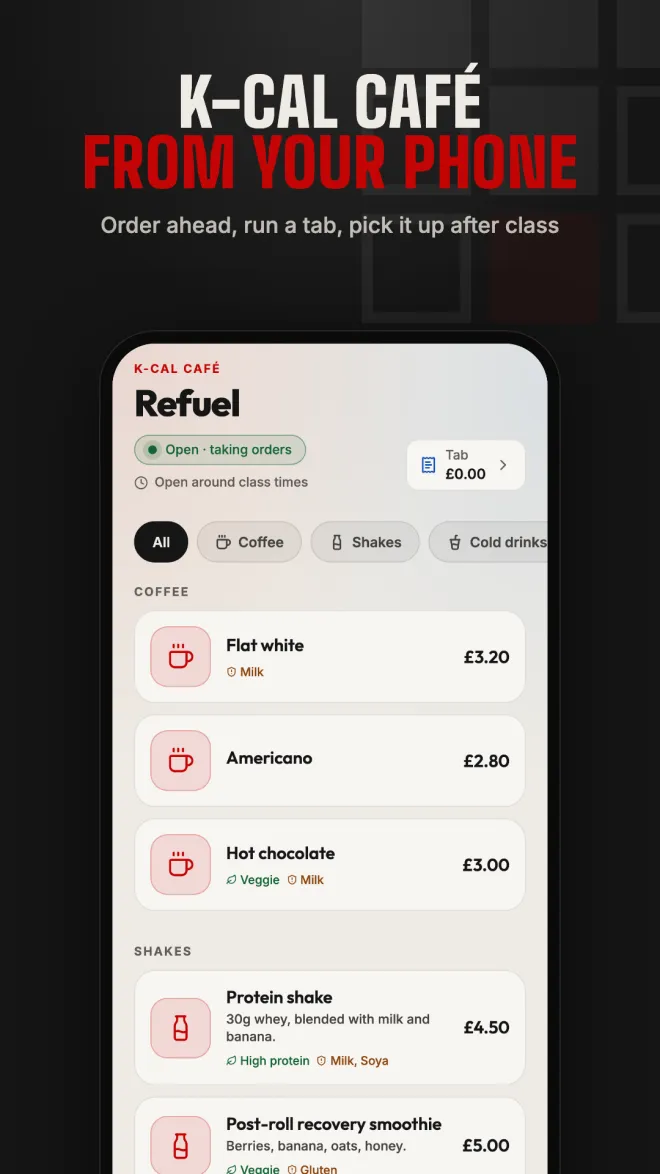
- Order from the café and pay or run a tab
- Buy tickets for seminars and gradings, and message other members
- Join, pause or change a membership paid by Direct Debit
Staff have their own side of the same app: the class register, a door scanner, enquiries, the timetable and announcements.
The screens on the walls
This is the part visitors notice. Each television has a small streaming stick behind it running an app we wrote for the gym. Each one is set to its room, the mats, the cage, the gym, the café or the lobby, and shows what that room needs. Coaches change what is on a screen from an iPad.
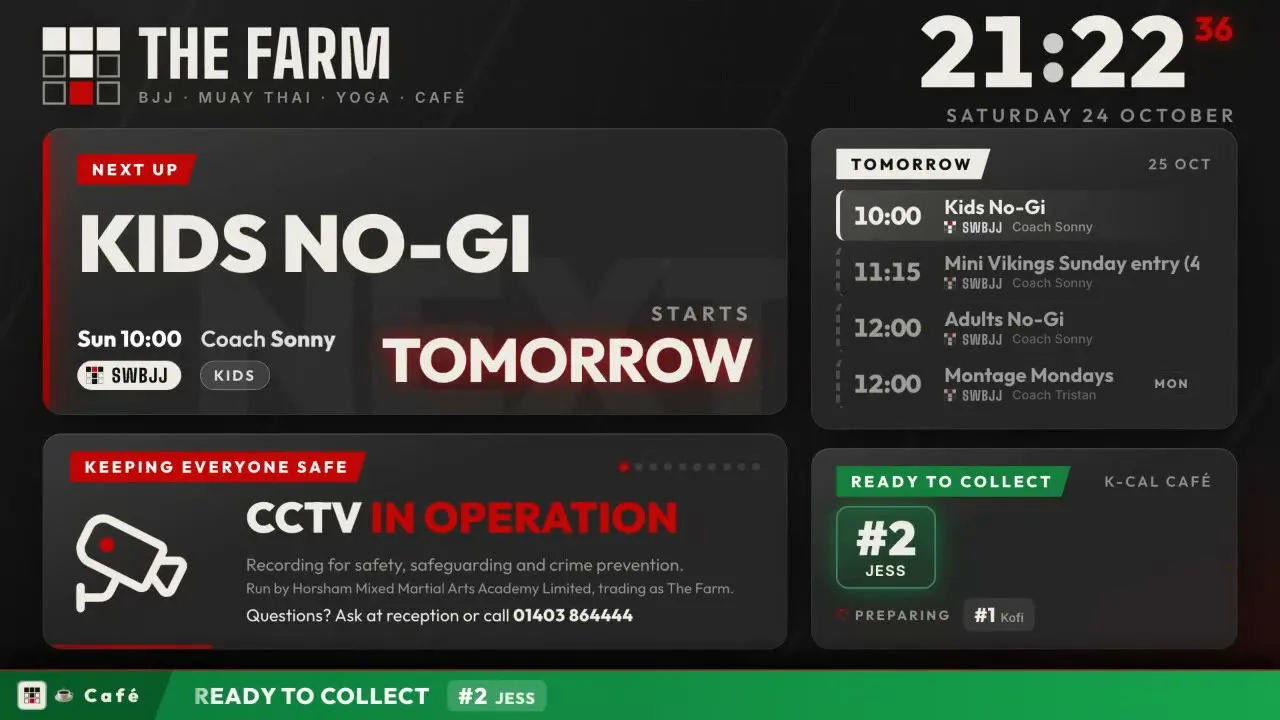
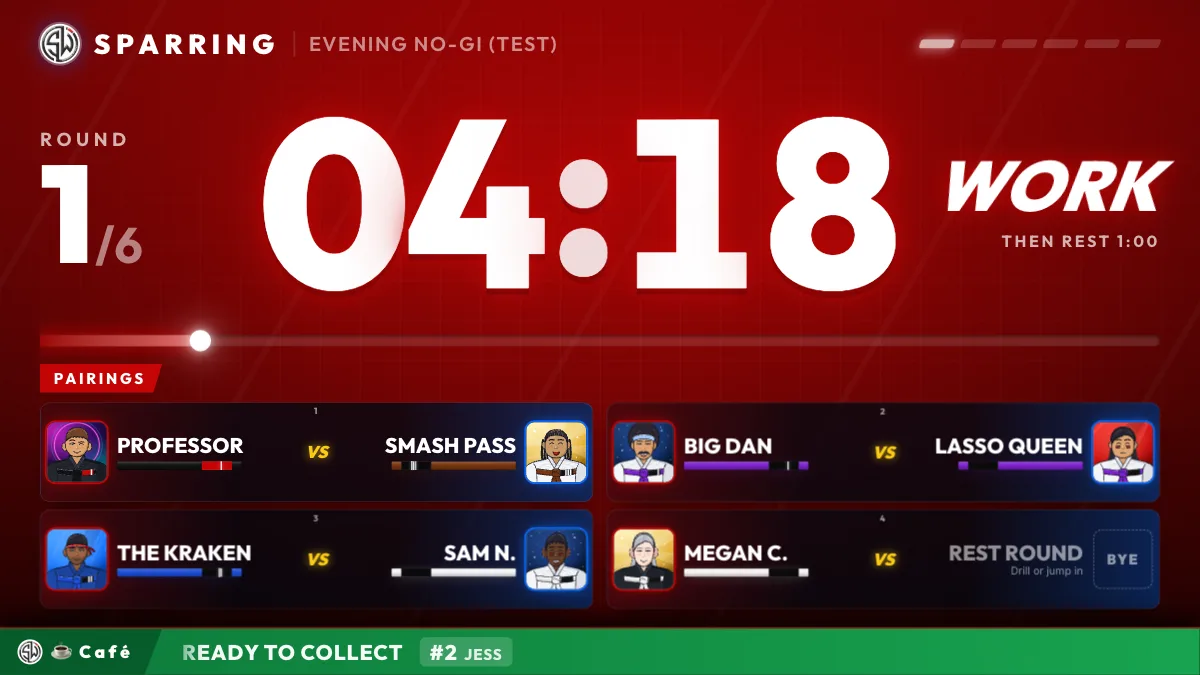
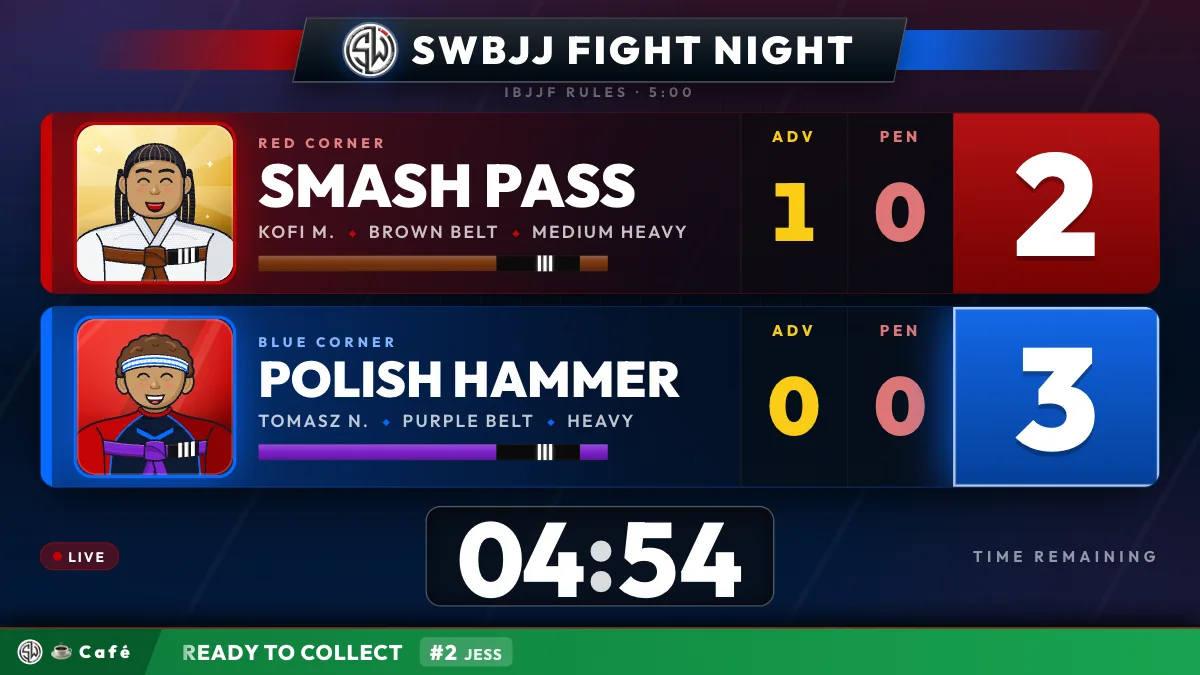
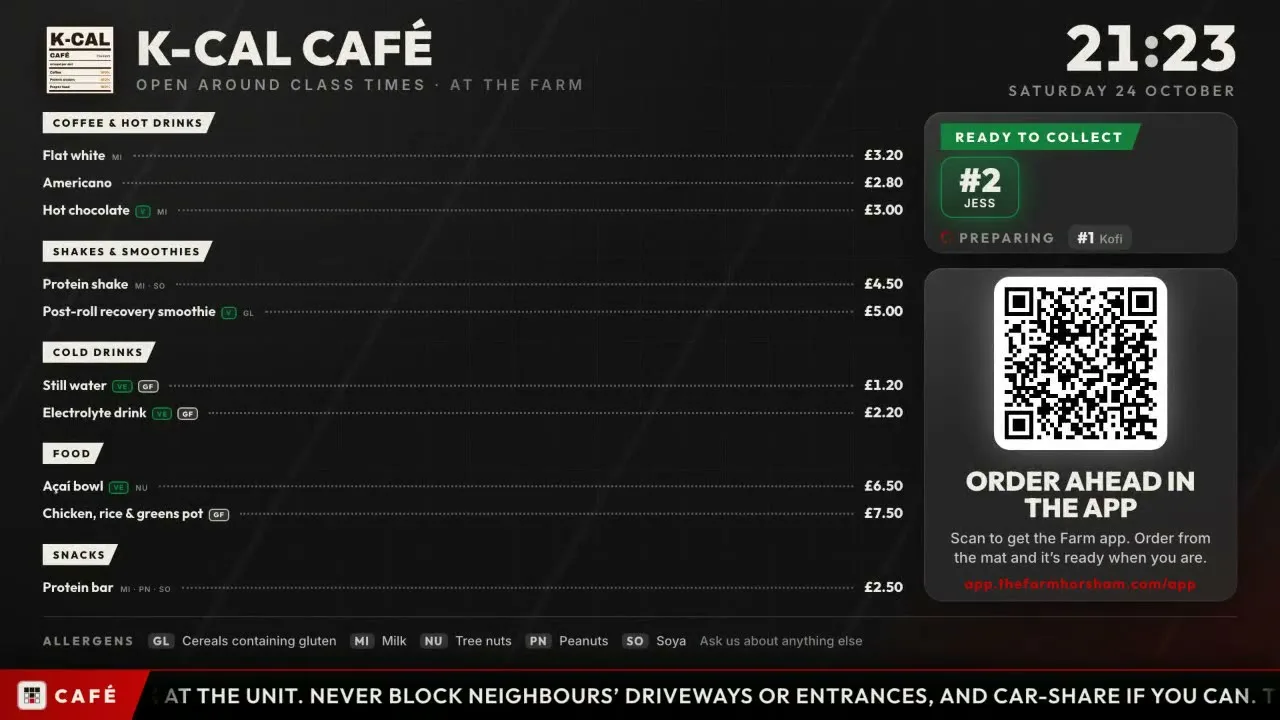
The screens above are shown with demonstration names and pictures.
The screens also show:
- A welcome at check-in, with the member's first name, picture and belt
- The class board: everyone booked into the class, highest belt first, with a ring that turns green as each person checks in
- Coaching tools: the run-sheet for the class, the line-up by rank, Muay Thai pad combinations called out loud, and breathing timers for yoga
- Celebrations: belt promotions and grading days, and club news. When the team won 22 golds in a day at the Brighton Open, the screens said so
- The gym: interval timers and the workout of the day
- Alerts: a notice, an urgent message or an evacuation, which starts a fire roll call on the staff's phones
How it joins up
Nothing here is typed in twice. Three examples:
| What someone does | What happens next, by itself |
|---|---|
| A member books a class in the app | Their picture appears on the class board. When they check in at the door, at the desk, in the app or with the coach, their ring turns green within about ten seconds. |
| A member orders a coffee from the mat | The order appears on the kitchen's board. When it is ready, their number shows on the lobby and café screens. |
| A coach starts sparring from the iPad | The mat screen draws the pairs, runs the round timer and moves everyone on at the bell. |
| The timetable changes | The app, the website and the lobby screen all show the new time, and booked members are told. |
What sits behind it
- Memberships by Direct Debit, with joining, pausing and changing plan from the app
- An iPad till and a card reader for the café, with a kitchen order board
- Waivers, club rules and consents signed on the phone, and an injury and incident log
- Sign-in with a face, fingerprint or phone PIN in place of a password
- Tickets for events that sit in the phone's wallet
- Enquiries followed up by WhatsApp and email, and review requests after a visit
- Websites for the building and its clubs, fed by the same timetable
Privacy came first
A gym full of children and screens needs care. The screens only ever get first names, belts and pictures that people have agreed to, and any member can hide themselves from them. Children can be shown as a drawn avatar. A second parent can have their own login for a child only when The Farm approves it. Members can download or delete their own data from the app, and personal data is encrypted where it is stored.
How long it took
| Date (2026) | Milestone |
|---|---|
| 4 October | First line of code |
| Mid October | Screens running in the gym, sign-in without passwords, booking on the web |
| 27 October | App live on Google Play |
| 6 November | App live on the App Store |
| 16 November | The current screens app running on all four televisions |
| 19 November | Direct Debit memberships switched on |
| 22 November | New websites for the building and its clubs |
It has changed most weeks since, because we run it and hear what the coaches and members ask for. On the App Store it is rated 5 out of 5 from 3 ratings (November 2026), and its first written review reads: "Wish I could give it 10 stars".
Want this for your gym, club or studio?
Bookings, check-in, memberships, a café or shop, and screens that update themselves all came from what The Farm needed. Tell us what your club needs and we will show you how it could work. We price it as a fixed price for each phase, with a live-by date. See the apps we have built and our bespoke software work.
Talk to Us About Your ClubFrequently Asked Questions
Can you build a system like this for my gym or club?
Yes. The parts are separate, so a club can start with bookings and check-in and add memberships, a café or the screens later. We begin with a free conversation about how your club runs, then give a fixed price for each phase.
Do the screens need special televisions?
No. Any television with an HDMI socket works. A small streaming stick behind each one runs the screen app and connects over the building's WiFi, and we watch over them remotely so a frozen screen is fixed without a visit.
How long does an app like this take?
The Farm's app went from the first line of code to Google Play in 23 days and was on the App Store within five weeks, with the screens running in the gym in between. Apple and Google each review an app before it goes live, which adds days we do not control.
Does it replace our membership software?
At The Farm it is the membership system: bookings, Direct Debit memberships, waivers and the register all live in it. If you already use something you like, we can often connect to it instead. We will tell you honestly which makes sense.